


Manufacturing plants move people, forklifts, carts, raw materials and finished products through doors, docks and restricted-sight transition points. Clear visual indication helps personnel read door position, approaching traffic or dock activity at the place where decisions are made.
BrinkAlert provides retrofit-oriented LED visual safety systems for existing commercial doors, loading docks, blind openings, blind corners and related traffic zones. The systems help communicate movement or status without replacing the plant’s traffic controls, training or safe operating procedures.
LED Light Systems for Manufacturing Facilities

Door Status
at a Glance
Visual Dock Communication


Awareness at Blind Openings

Retrofit Existing
Equipment
Where Manufacturing Traffic Becomes Difficult to Read
Forklifts move components from receiving to production. Carts and tuggers cross employee routes. Powered doors separate operational zones. Walls, machinery and inventory can block the view of what is approaching from the other side.
Multiple shifts may use the same routes, while plant noise can make audible-only signals harder to notice. BrinkAlert adds visible status indication that can help personnel recognize door movement, dock status or approaching traffic before entering a shared path.
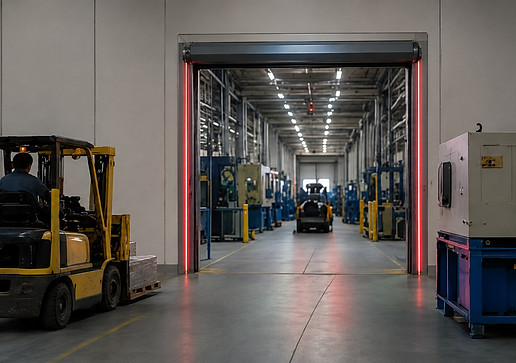
Visual Communication Across Manufacturing Process

1
Raw-Material Receiving
Materials enter through docks, drive-in doors and vehicle approaches. Visual indication can support communication among drivers, dock personnel and forklift operators.

2
Production Entry & Floor Crossings
Materials pass through powered doors between storage, fabrication, assembly and production. Door-status lights communicate closed, moving or fully open status.

3
Maintenance & Service Areas
Equipment-access doors, tool-room entrances and service bays see intermittent traffic. Visible indication helps make that activity easier to recognize.

4
Finished-Goods Staging
Completed products move into staging and outbound areas. Consistent cues support the handoff between production and shipping.

5
Shipping & Loading Docks
Finished goods leave through dock doors, levelers and trailer approaches. Dock lights communicate supported equipment or vehicle status.

Add visual status to production doors, equipment openings, and large passageways. The CDLK is intended for powered commercial and industrial doors. LED indication along the opening helps personnel recognize movement and position from the approach. Applications include production entrances, transfer openings, shipping doors and service bays.

Solid red -> Door closed
Flashing red -> Door in motion
Solid green -> Door fully open
Amber -> Preannounce door opening
Visual Status Systems for Manufacturing Loading Docks
At shipping and receiving, materials, drivers, dock personnel and forklifts converge. BrinkAlert dock systems provide visible indication tied to supported dock, door, restraint or vehicle-approach signals. Configuration depends on the equipment and available status logic.
Loading Dock Light Kit (LDLK)
Dock Leveler Light Kit (LEVELERKIT5)
Loading Dock Backing Light Kit (LDBLK)

See Approaching Traffic at Obstructed Plant Openings

Blind Door Light Kit (BDLK)
The BDLK is designed for blind openings where personnel or equipment may approach from opposite sides. Sensors detect supported approach activity and activate visible warning lights. Applications include department openings, warehouse-to-production transitions, maintenance corridors and parts rooms.

One Visual Language Across the Facility
A plant may have different door types, blind openings and loading docks. BrinkAlert can help teams plan recognizable cues across these transition points. Consistent light behavior supports faster recognition and clearer communication across shifts or buildings.
Door Closed
Solid red indicates the door is closed and the opening is not ready for apparatus passage.

Door in Motion
Flashing red warns that the door is actively opening or closing. Remain clear while the door is moving.
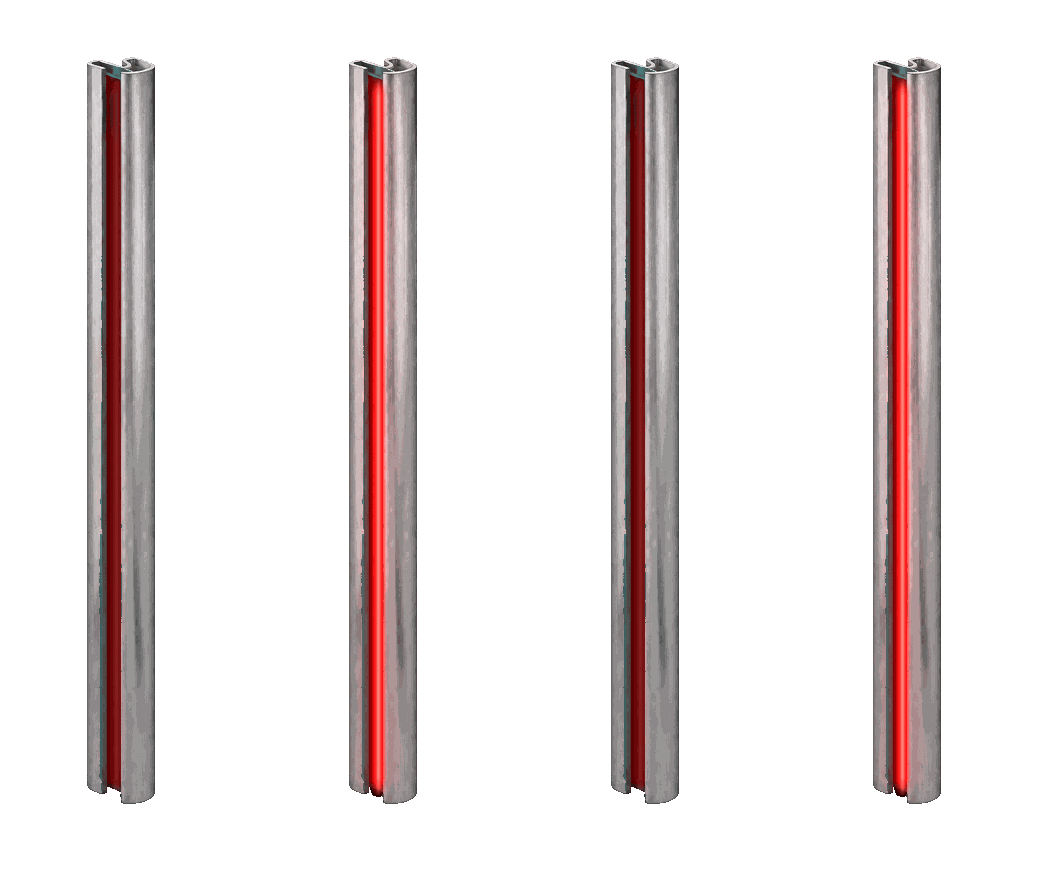
Door Fully Open
Solid green indicates the door has reached its configured fully open position. Confirm the travel path is clear before proceeding.
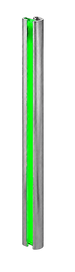
Preannounce
Solid amber gives advance visual notice before door movement begins, where supported and configured.

Designed to Work with Existing Plant Equipment
BrinkAlert systems are retrofit-oriented. Depending on the equipment and available signals, a system can often integrate with commercial door operators, existing sensors, relays, limit-switch signals, dock equipment, vehicle restraints and other dry-contact or status signals. Existing controls generally remain in place while the LED system adds a visible communication layer.
Compatibility is application-specific. BrinkAlert or an authorized installer should review the operator, controls, available outputs, installation environment and requested light behavior before a system is specified.
Manufacturing Applications

Automotive & Components
Support safe movement around assembly lines, stamping presses, and staging areas.

Metal Fabrication
Improve awareness at cutting, welding, and fabrication work cells and bays.

General Industrial
Entrance visibility at high-traffic areas, equipment rooms, and material routes.

Packaging & Assembly
Coordinate door activity at packing lines, conveyors, and shipping prep.

Building Products
Keep operators aware at saws, routers, presses, and finishing lines

Equipment & Machinery
Supports OEMs and machine builders with clear door status signal.

Plastics & Material Processing
Improve communication around extrusion, molding, and processing lines.

Multi-Building Campuses
Standardize visual signals across multiple buildings and departments.
Plan the System Around Your Material Flow
Follow the material route from receiving through production and shipping. Mark where personnel must judge door position, dock activity or traffic outside the line of sight.

Number and type of powered commercial doors
Manual doors that require position indication
Blind openings, corners and intersections
Shipping and receiving dock positions
Existing operators, controls and available status signals
Vehicle-restraint or leveler signals where applicable
Pedestrian, forklift, cart and tugger routes
Interior versus exterior visibility requirements
Desired light behavior and preannounce requirements
Multi-door or multi-building standardization needs

GALLERY


